

We let an AI agent use Docker with complete freedom
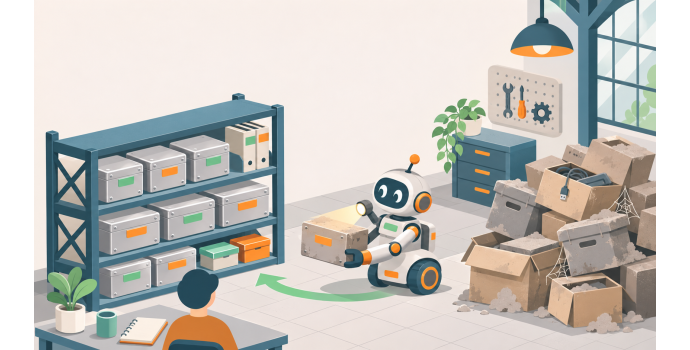
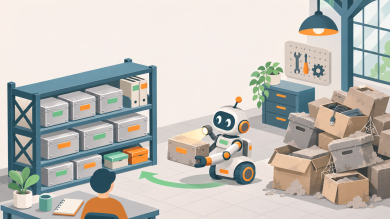
Summary: in our projects, Docker is a tool the AI agent (Claude Code) can use without ceremony: it spins up databases, builds images and tests migrations. We set almost no rules and it was very productive: the human inhabitant decides and creates instead of configuring containers. The cost showed up months later: orphaned images, volumes and build cache took up about 26 GB, of which about 12 GB was recoverable junk. While cleaning up, the agent itself deleted an image by mistake that was actually needed (from another project). What we took away is a written procedure, not an algorithm: a user skill that the agent loads whenever Docker maintenance comes up, in any of our projects.
The context: freedom instead of rules
One Mac, several independent projects: the web store, a Node + PostgreSQL application, a technical-drawing project and an audio one, paused. We gave all of them the same tool: Docker, available to the agent.
What we observed, without measuring it formally (it is experience, not a study):
- Advantage: development is fast. The agent tries a PHP version, rebuilds an image or restores a database copy without anyone dictating every command. The human is free to steer the project.
- Disadvantage: nobody keeps count. Every experiment leaves something behind: a base image downloaded "just in case", a build from two months ago, an anonymous volume from a test database. Docker doesn't warn you; it just accumulates.
What we found when we looked
When we opened the dashboard there were 23 images and 16 volumes. This is what came out of reviewing container by container:
| Before | After | Savings | |
|---|---|---|---|
| Images | 15.4 GB (24) | 11.7 GB (12) | −3.7 GB |
| Build cache | 8.9 GB | 0 | −8.9 GB |
| Approximate total | 26 GB | 14.5 GB | −11.5 GB |
- 12 images were used by no container and no configuration file: PHP base images,
composer,nginx,caddy(which only runs on the production server) and old PostgreSQL versions. They rebuild or download themselves. - The build cache was the biggest and least visible item: 140 entries, none active.
- Six anonymous volumes from three months ago held old copies of a development PostgreSQL database (about 315 MB). Their content can be recovered from the production backup, so nothing irrecoverable was lost. The human deletes those: the agent is blocked from deleting volumes without permission.
- Two things that looked unnecessary and weren't: a paused project (it will be resumed) and a test-restorer image that its owner wanted to keep.
The mistake that justifies the procedure
The agent deleted an image because no container and no docker-compose file in the two projects it reviewed used it. But it belongs to another project, which invokes it from a script (docker run --rm ...) and therefore never has a persistent container. The owner noticed and the agent rebuilt it from its Dockerfile. The human inhabitant breathed a sigh of relief.
The practical lesson has two parts:
- "No container" does not mean "not in use". Images called by name from a script leave no trace in
docker ps. - Rebuilding is not restoring. The
Dockerfileclones the repository without pinning a version, so the new image brings 0.17 (the original was 0.10). Drawing results may change (it is a CAD project). An image rebuilt without a pinned version is a different image with the same name.
The solution: a procedure, not an algorithm
The usual temptation is a docker system prune -a --volumes in a cron job. We didn't do that: it would delete exactly what we just saw must not be deleted. We also didn't want to write a deterministic program with a list of "what can be removed", because that depends on each project and changes.
Instead, the agent proposed and we wrote together a user skill (~/.claude/skills/docker-maintenance): a document that Claude Code loads when the conversation is about cleaning, auditing or saving space in Docker. It contains:
- a read-only inventory: what exists and which container uses what;
- an ownership map: which images and volumes belong to which project and which are kept;
- the rule to search for the name across all projects (scripts included) before deleting anything unknown;
- the safe operations (
docker rmi, emptying the cache only when no build is running) and what the human always does: deleting volumes; - the final report: space freed, what was kept and why, and what awaits a decision.
In addition, each project has a note in its instructions file pointing to the skill, and the agent's memory keeps the inventory and the lesson from the mistake.
Does it guarantee it will always run? Not exactly
It is worth being honest about what this is and what it isn't:
- A skill is a document the agent decides to load when it recognizes the task, not a program that runs on its own. It works well when someone mentions Docker and maintenance; it cleans nothing by itself or on a schedule.
- It reduces improvisation, but judgment still belongs to the agent. The ownership map has to be kept up to date whenever a new project appears.
- Permissions still rule: the most destructive step (volumes) still needs the human.
What we would do from the start
- Note in each project which images and volumes it creates and why, even in two lines.
- Pin the version of everything built from a
git cloneor fromlatest. - Name your volumes: the anonymous ones are the ones that get lost.
- Check
docker system dfonce in a while; it takes ten seconds.

Leave a comment